Connections
| Connection | How it works |
|---|---|
| Claude | Ask Claude to find the post where you explained an idea, then draft from the original. The byline connector gives Claude access to your workspace library and voice profile. |
| ChatGPT | Mention byline in ChatGPT to look up a past post or read a client's voice profile. You can pick a source and use its language in the next draft. |
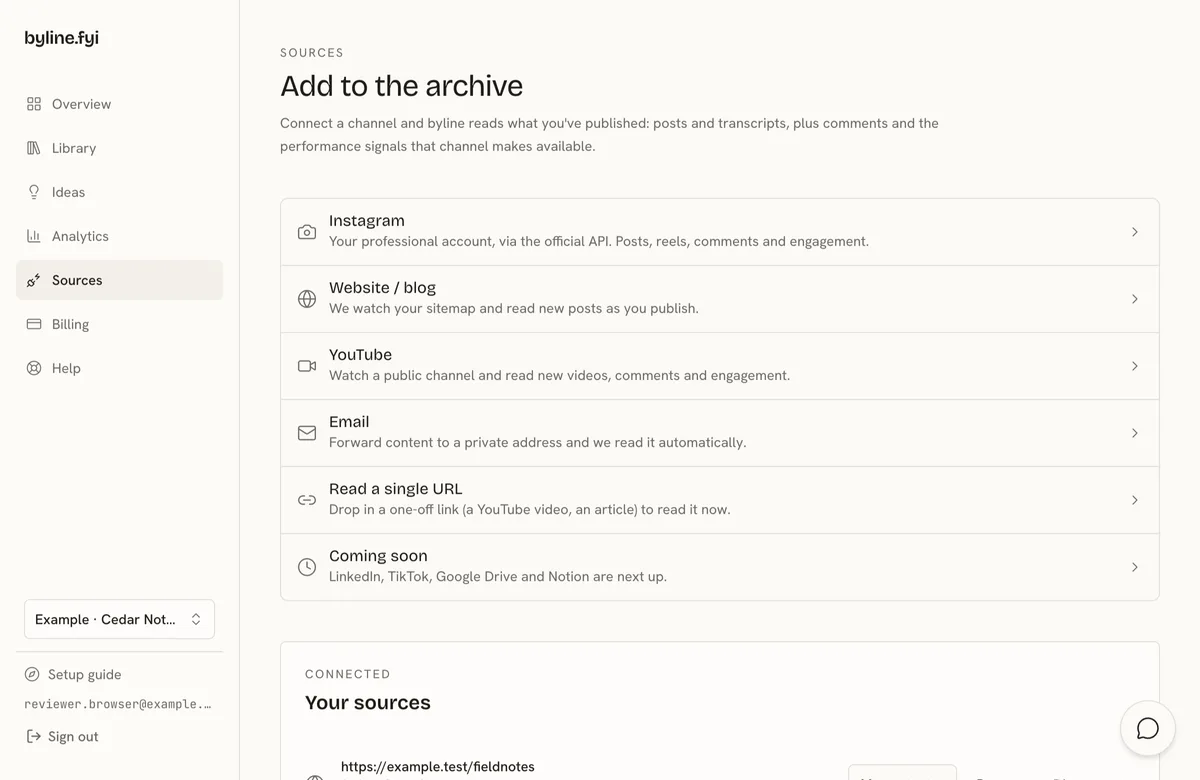
| Connect your Instagram Professional account to keep captions from posts, reels and carousels in byline. Find a line you wrote and use it when you draft in a connected AI tool. | |
| YouTube | Bring your public channel into byline. When a video finishes processing, you can ask a connected AI tool for the passage where you explained an idea and follow the link back. |
| Website or blog | Read articles from your own site's public sitemap. |
| Forward newsletter text or private notes to your workspace inbox from an allowed sender. | |
| Cursor | Add byline from Sources and sign in to use your workspace in Cursor. |
| Other MCP clients | Use the byline server link in an app that supports an authenticated remote MCP connection. |
| Single URL | Queue one article or YouTube video of your own without connecting a channel. |
Setup
Connect your first source
- 1Connect a source you own.
- 2Wait for eligible work to appear in your library.
- 3Connect an AI tool and ask it to search byline.
FAQ
Where should I start?
Choose the source where you have published the work you want to reuse. Once it has been read, connect your writing tool and ask byline for a specific example.
Can I connect TikTok?
Check Sources in your dashboard. Where TikTok is enabled, the row offers Connect TikTok. Otherwise it shows Coming soon.