Instagram at a glance
| Topic | How it works |
|---|---|
| Captions | Eligible feed posts, reels and carousels supply examples of your own writing. Ask your connected writing tool to search byline for a caption about a specific topic, then open the original when you want to reuse a line. |
| Engagement | Like and comment counts give context when Instagram supplies them. Use those numbers alongside the caption to compare posts. Reach, saves, shares and watch time are outside the data available through this connection. |
| Comment text and replies | Excluded from the import. |
Setup
Connect Instagram
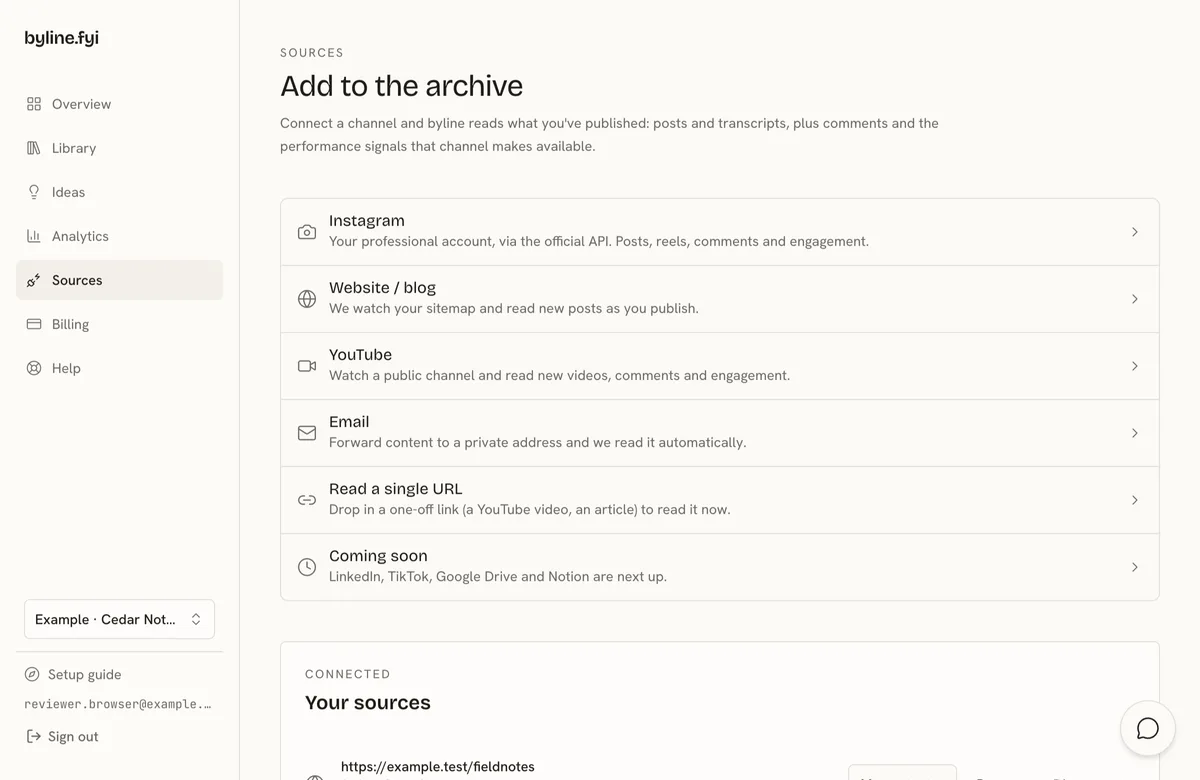
- 1Open Sources and choose Instagram.
- 2Sign in with your Business or Creator account and approve access.
- 3Check your library as eligible posts finish processing. When you publish something new, the source is checked in the background. Choose Resync on Sources if you want to queue another read. Allow time for the caption to appear before asking your AI tool to find it.
FAQ
Can I connect a personal Instagram account?
You need a Professional account. Business and Creator accounts both qualify. Connect your own account through Instagram's sign-in. If you currently use a personal account, you can switch account types in Instagram settings. Once connected, check Sources for its status. If you revoke access in Instagram, your imported work stays in the library while you reconnect.
Does byline read comments or post to Instagram?
byline reads available like and comment counts. Comment text, replies and direct messages stay out of the import. byline does not publish to your account.