To make ChatGPT or Claude write like you, give it your real writing and rules you can point to in it. Collect pieces you wrote without AI. Turn what they share into a short style file. Keep both in one place per client: a Project in either tool [1] [2], a skill in Claude [3], or ChatGPT's Writing style for email and documents [4]. If the client publishes on Instagram, YouTube or a blog, a connector such as byline can keep the samples current [5] [6].
Why does ChatGPT's writing sound like AI?
People who read a lot of ChatGPT drafts name the same habits. One OpenAI community thread lists overused words such as "glimpse into", "dive" and "stark", stock structures such as "It's not just X, it's also Y" and "The result?", and a flowery tone [7]. The person who started it says asking ChatGPT to avoid them doesn't work. A reply suggests asking it to avoid superlatives and exaggerations instead [7].
That's a user forum, not OpenAI. Nobody in it explains why the model writes this way, and I won't guess either.
What the thread does show is the limit of banned-word lists. You can strip "dive" from a draft and it still won't sound like anyone in particular. The model needs to see how one person writes, and rules it can check against that person's pieces.
AI detectors are out of scope here. This guide is about voice.
What should a style file say?
A style file is a short Markdown page of rules, each one taken from the writer's own pieces. It covers sentence length, how pieces open, how they end or sign off, punctuation habits, and words the writer never uses.
My rule of thumb: keep a rule only if it shows up in several samples. That's how I work, not a documented fact about how models behave. A habit that appears once is probably the topic, not the voice.
Here's how I build one:
- Pick pieces the person wrote without AI, in the format you're drafting.
- Read them side by side and note what repeats: sentence length, openings, endings, punctuation and favourite words.
- Keep a rule only if several pieces share it, and quote one real sentence under it.
- List the words the writer never uses, and check each one against every sample.
- Draft one piece with the file, put it next to a real one, and fix the rule that missed.
- Date the file, and redo it when the writer's style changes.
- Collect pieces written without AI
- Keep each habit several pieces share, with a real example
- Store the file in the client’s Project or skill
The template below is the whole file. Copy it, or download the style.md template.
# Style file: [name]

Last updated: [date]
Built from: [how many] pieces [name] wrote without AI, in [format]

# Samples

- [title or link of each piece, newest first]

# Sentences

- Length: [mostly short, mixed or long]. Example: "[a real sentence from a sample]"
- Openings: [how pieces usually start]. Example: "[a real opening]"
- Endings and sign-offs: [how pieces usually end]. Example: "[a real ending]"

# Words

- Words and phrases they use often: [list, each found in several samples]
- Words they never use: [list, each checked against every sample]
- Spelling: [US or UK, plus any house spellings]

# Punctuation and layout

- [habits seen in several samples: dashes, emoji, line breaks, lists, capitals]

# Rules for the model

- Write like the samples, not like these notes.
- Every rule above comes from several samples. If a draft and a sample disagree, follow the sample.
- Don't use any word from "Words they never use".
Put the quoted examples in. A rule with a real sentence under it gives the model something to copy. A rule made only of adjectives doesn't.
How do you make ChatGPT write like you?
ChatGPT has three places to keep a voice, plus a tone setting.
Custom instructions. They sit under Settings > Personalization on the web and desktop, and one set applies to all your chats [8]. That's fine for your own voice. It's the wrong place for a client's, because every other client's chats read it too.
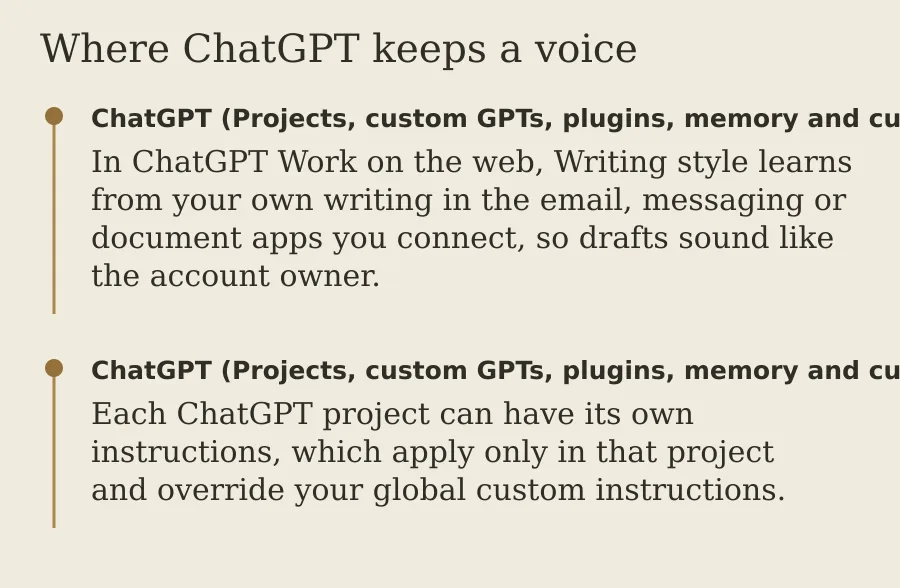
Projects. A Project has its own instructions, which apply only inside it and override your global custom instructions [1]. Paste the style file into the instructions and upload the samples. The pricing table lists Projects on Free, Go, Plus and Pro [9], with 5 files a project on Free, 25 on Go and Plus, and 40 on Pro [10].
Writing style. In ChatGPT Work on the web, Writing style learns from your own writing in the email, messaging or document apps you connect [4]. Connect the apps, then select Use writing style. Connecting an app alone doesn't finish setup, and the apps you see depend on your account and workspace [11]. To turn it off, open Settings > Personalization > Writing and switch off Reference my writing style [12]. OpenAI doesn't say how often it re-reads your apps (unverified) [13].
For client work, be plain about what it learns: the account owner's writing. If you ghostwrite, that's you, not your client.
Base style and tone. Settings > Personalization > Base style and tone sets how ChatGPT responds in general [14]. It changes tone, not whose voice it writes in.
How do you make Claude write like you?
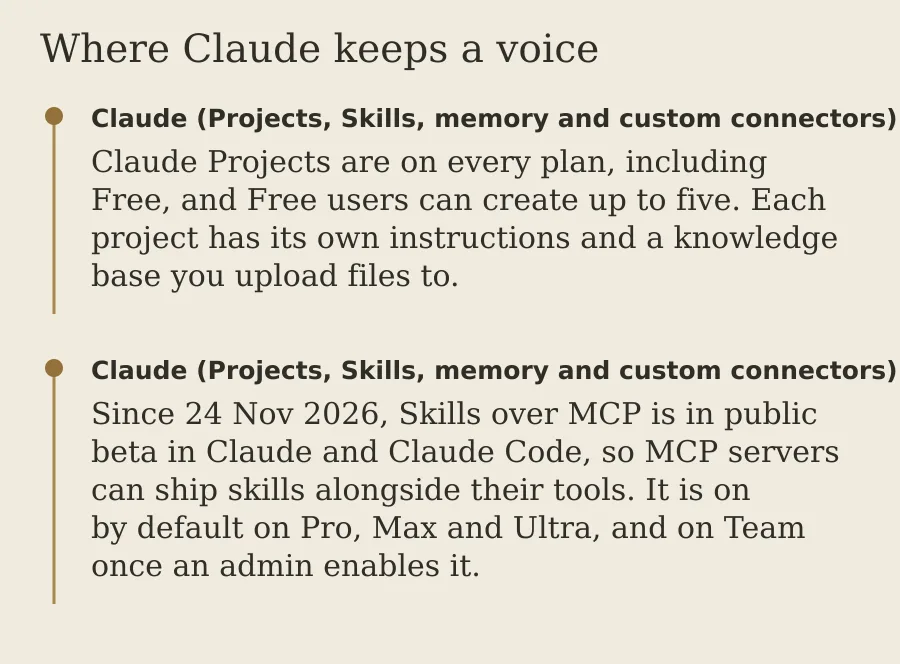
Give each client their own Project. Every Claude plan has Projects, Free allows up to five, and each one has its own instructions and a knowledge base you upload files to [2]. Put the style file in the instructions and the samples in the knowledge. I compare the two Project features in Claude Projects vs ChatGPT Projects, which covers one Project per client in more depth.
Or turn the style file into a skill. Skills are on every plan, including Free, and need code execution switched on [3]. Claude has renamed Customize to Plugins in the sidebar, and one Plugins page now holds skills and connectors. Free, Pro, Max and Ultra have it now, and Team switches from 30 Nov 2026 [15]. To use a skill in a chat, click + or type / [15].
Claude's custom Styles may be moving into skills, but Anthropic's article about it returned a 404 when I checked (unverified) [16]. If you rely on a style, copy its rules into a skill or a Project's instructions now, so nothing depends on the move.
Custom connectors work on every Claude plan, and Free can add one [17]. Since 24 Nov 2026, MCP servers can ship skills alongside their tools [18]. That's a public beta in Claude and Claude Code, on by default on Pro, Max and Ultra, and on Team once an admin enables it [18].
Which method fits client work?
Here are the six options side by side. For client work, the column to read is the fifth: does the method change when the client publishes something new?
| Method | Where it lives | Learns from | One per client? | Updates when the client publishes? | Plan |
|---|---|---|---|---|---|
| ChatGPT custom instructions | Settings > Personalization [8] | What you type [8] | No, one set for all your chats [8] | No [8] | Every plan [8] |
| ChatGPT Project | A Project [1] | Files and instructions you add [1] | Yes, one Project each [1] | No, you add new files yourself [10] | Free, Go, Plus and Pro; 5 files a project on Free, 25 on Go and Plus, 40 on Pro [9] [10] |
| ChatGPT Writing style | Settings > Personalization > Writing, in ChatGPT Work on the web [4] [12] | Your own writing in connected email, messaging or document apps [4] | No, it learns the account owner [4] | No, it follows your writing, not the client's [4] | ChatGPT Work on the web; apps depend on the account and workspace [11] |
| Claude Project | A Project [2] | Files and instructions you add [2] | Yes, one Project each [2] | No, you upload new posts yourself [2] | Every plan; up to 5 Projects on Free [2] |
| Claude skill | The Plugins page (Customize on Team until its switch) [15] | Instructions you write [3] | Yes, if you make one per client [3] | No [3] | Every plan, with code execution on [3] |
| byline over MCP | A custom connector in Claude or ChatGPT [19] | The client's connected Instagram, YouTube speech and website, plus newsletters emailed in [5] [20] | Yes, one workspace per client, up to 5 on Studio [21] | Yes, connected sources sync daily [6] | Creator $29 or Studio $99 a month; Claude on any plan; ChatGPT Business, Enterprise or Edu, with read and fetch only on Pro [22] [23] [17] [24] |
Every row was re-read on the vendor's own page on 25 Nov 2026, except byline's, which comes from our product documentation. Only the byline row reads the client's channels. The rest learn from what you give them, or from your own writing.
Where Projects and skills win
- They cost nothing to start. ChatGPT's pricing table lists Projects on Free [9], and Claude Free allows up to 5 Projects [2]. byline has no free trial [25].
- They take any text, including LinkedIn posts. You paste or upload what you have. byline doesn't import LinkedIn posts [26].
- They sit where you already draft. Project instructions live next to your chats, with no connector to set up [1] [2].
- Writing style needs no upkeep for your own email and documents. It learns from the apps you connect [4].
You may not need byline
If the client writes only on LinkedIn, byline can't read it, because it doesn't import LinkedIn posts [26]. Use a Project per client with pasted posts and the style file. If you write emails and documents as yourself in ChatGPT Work, its Writing style already learns from your connected apps [4].
Where byline fits
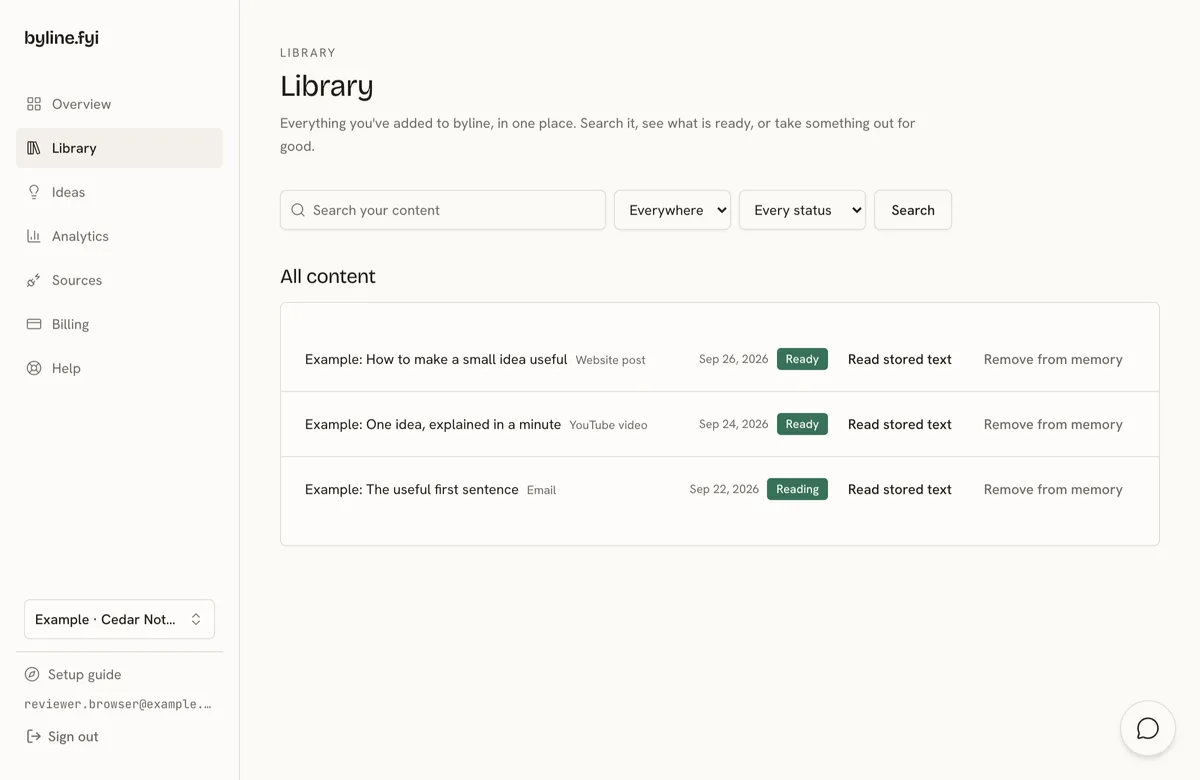
The client publishes every week on Instagram, YouTube or a blog, and you're tired of re-uploading posts to a Project. byline reads those channels [5] and syncs them daily [6]. A newsletter reaches it when you or an allowed sender email an issue to the workspace inbox, one issue at a time [5]. It builds a voice profile [27] and lets Claude or ChatGPT search the client's past work while you draft [28]. It doesn't read comments [29]. See what a voice profile holds, and how to connect byline in Claude or in ChatGPT.
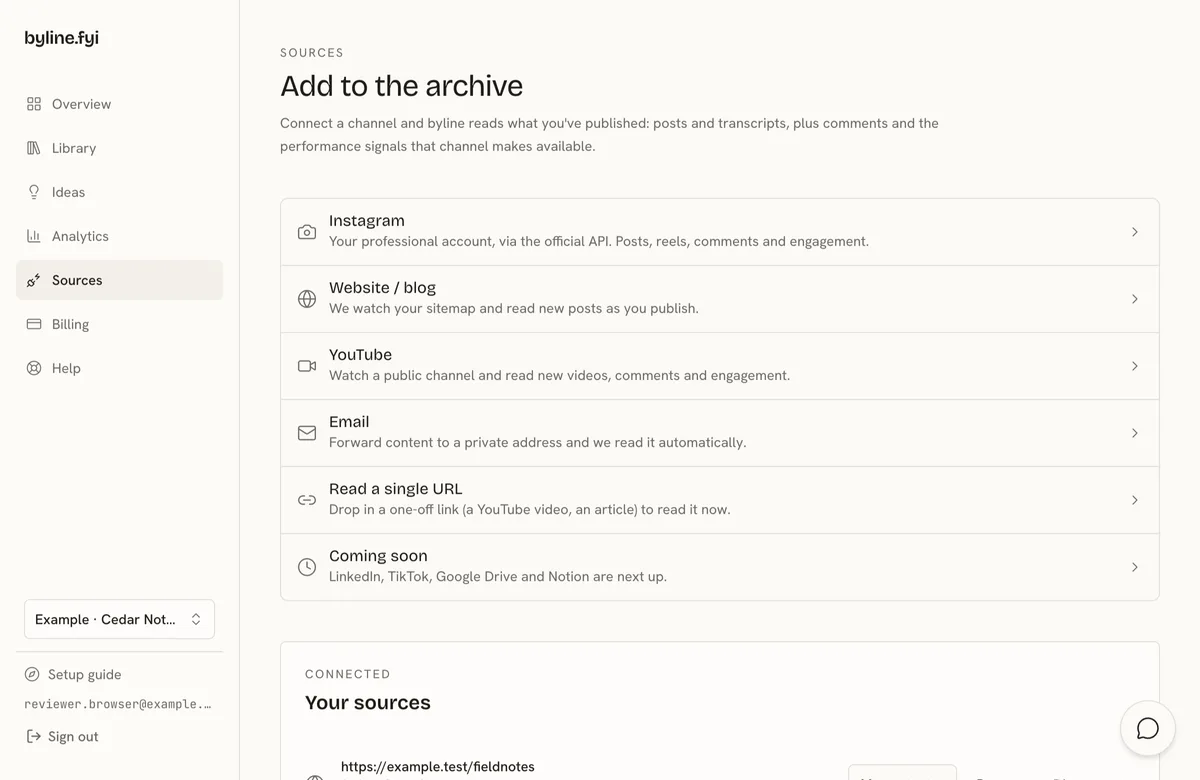
Studio has 5 client workspaces [21] and costs $99 a month [23]. Creator is $29 a month [22]. $0.99 for your first month, no free trial. [30] The Connection plan is $0, but it gives your AI tools only your profile and your 12 latest posts on one Instagram account and one YouTube channel, with no voice profile and no client workspaces [31]. Compare them on byline pricing.
FAQ
Can ChatGPT learn my writing style?
Yes, in two ways. You can give it your writing in a Project or custom instructions, and in ChatGPT Work its Writing style feature learns from email, messaging or document apps you connect.
Sources: [4].
How do I make Claude write like me?
Put your style file in a Project's instructions, or make it a skill and run it with + or / in a chat. Anthropic's article on Styles moving into skills returned a 404 when I checked, so don't rely on a style alone. (unverified)
How many writing samples do I need?
There's no official number from OpenAI or Anthropic. Use pieces the person wrote without AI, in the format you're drafting.
How do I keep each client's voice separate?
Use one Project per client in ChatGPT or Claude, or one byline workspace per client. Don't keep client rules in your global custom instructions.
Does byline read LinkedIn posts?
No. byline reads connected Instagram, what's said in YouTube videos, a website and a newsletter. It doesn't import LinkedIn posts.
Will this make AI writing undetectable?
This guide is about voice, not detectors. We don't test or claim anything about AI detection.
Method and disclosure
How we checked
We make byline. On 25 Nov 2026 I re-read every OpenAI and Anthropic page this guide cites, and each numbered source below names the page and the date it was checked. byline's own facts come from its product documentation. One claim stays unverified: Anthropic's article on Styles moving into skills returned a 404 on that date, and no other Anthropic page I read confirms it.
The style-file method, keeping a rule only when several samples share it, is my working method and not a documented model behaviour. For the Project features side by side, see Claude Projects vs ChatGPT Projects. For how byline connects, see byline in Claude and ChatGPT.
Sources (31)
- ChatGPT (Projects, custom GPTs, plugins, memory and custom MCP servers). Each ChatGPT project can have its own instructions, which apply only in that project and override your global custom instructions. Source: help.openai.com/en/articles/10169521-projects-in-chatgpt, checked 25 Nov 2026.
- Claude (Projects, Skills, memory and custom connectors). Claude Projects are on every plan, including Free, and Free users can create up to five. Each project has its own instructions and a knowledge base you upload files to. Source: support.claude.com/en/articles/9517075-what-are-projects, checked 25 Nov 2026.
- Claude (Projects, Skills, memory and custom connectors). Claude skills are on Free, Pro, Max, Ultra, Team and Enterprise, and need code execution switched on. Source: support.claude.com/en/articles/12512176-what-are-skills, checked 25 Nov 2026.
- ChatGPT (Projects, custom GPTs, plugins, memory and custom MCP servers). In ChatGPT Work on the web, Writing style learns from your own writing in the email, messaging or document apps you connect, so drafts sound like the account owner. Source: learn.chatgpt.com/docs/personalize, checked 25 Nov 2026.
- byline. From byline's own product documentation, checked 5 Nov 2026.
- byline. From byline's own product documentation, byline.fyi/docs/plans-pricing-and-billing, checked 5 Nov 2026.
- ChatGPT (Projects, custom GPTs, plugins, memory and custom MCP servers). A widely cited OpenAI community thread (Feb 2024) lists ChatGPT's habits: overused words such as "glimpse into", "dive" and "stark", stock structures such as "It's not just X, it's also Y" and "The result?", and flowery language. The original poster says asking ChatGPT to avoid them doesn't work, and a reply suggests asking it to avoid superlatives and exaggerations. Source: community.openai.com/t/avoiding-common-chatgpt-writing-styles-and-structures/624869, checked 25 Nov 2026.
- ChatGPT (Projects, custom GPTs, plugins, memory and custom MCP servers). Custom instructions are on every ChatGPT plan. On web and desktop they sit under Settings > Personalization, and one set applies to all your chats. Source: help.openai.com/en/articles/8096356-chatgpt-custom-instructions, checked 25 Nov 2026.
- ChatGPT (Projects, custom GPTs, plugins, memory and custom MCP servers). The ChatGPT pricing page's comparison table marks Projects as included on Free, Go, Plus and Pro. Source: chatgpt.com/pricing, checked 25 Nov 2026.
- ChatGPT (Projects, custom GPTs, plugins, memory and custom MCP servers). ChatGPT allows 5 files per project on Free, 25 on Go and Plus, and 40 on Pro, Business, Enterprise and Edu. Source: help.openai.com/en/articles/10169521-projects-in-chatgpt, checked 25 Nov 2026.
- ChatGPT (Projects, custom GPTs, plugins, memory and custom MCP servers). To set up Writing style, connect the email, messaging or document apps you want ChatGPT to use, then select Use writing style. Connecting an app alone does not finish setup, and the apps on offer depend on the account and workspace. Source: learn.chatgpt.com/docs/personalize, checked 25 Nov 2026.
- ChatGPT (Projects, custom GPTs, plugins, memory and custom MCP servers). To turn Writing style off, open Settings > Personalization > Writing on the web and switch off Reference my writing style. Source: learn.chatgpt.com/docs/personalize, checked 25 Nov 2026.
- ChatGPT (Projects, custom GPTs, plugins, memory and custom MCP servers). How often Writing style re-reads your connected apps. Unverified: we could not confirm this on 25 Nov 2026. We checked learn.chatgpt.com/docs/personalize.
- ChatGPT (Projects, custom GPTs, plugins, memory and custom MCP servers). On ChatGPT web, Settings > Personalization > Base style and tone sets how ChatGPT responds. Source: learn.chatgpt.com/docs/personalize, checked 25 Nov 2026.
- Claude (Projects, Skills, memory and custom connectors). In Claude, Customize is now Plugins in the sidebar, and one Plugins page holds skills and connectors. Free, Pro, Max and Ultra have it now; Team from 30 Nov 2026 and Enterprise after. To use a skill, click + or type / in a chat. Source: support.claude.com/en/articles/17740565, checked 25 Nov 2026.
- Claude (Projects, Skills, memory and custom connectors). Claude's custom styles are moving into skills. Unverified: we could not confirm this on 25 Nov 2026. We checked support.claude.com/en/articles/10181068-styles-are-moving-to-skills.
- Claude (Projects, Skills, memory and custom connectors). Custom connectors using remote MCP are on Claude Free, Pro, Max, Ultra, Team and Enterprise. Free users are limited to one. Source: support.claude.com/en/articles/11175166-get-started-with-custom-connectors-using-remote-mcp, checked 25 Nov 2026.
- Claude (Projects, Skills, memory and custom connectors). Since 24 Nov 2026, Skills over MCP is in public beta in Claude and Claude Code, so MCP servers can ship skills alongside their tools. It is on by default on Pro, Max and Ultra, and on Team once an admin enables it. Source: claude.com/resources/articles/skills-over-mcp-tasks-and-more, checked 25 Nov 2026.
- byline. From byline's own product documentation, byline.fyi/docs/connect-byline-to-your-ai-tool, checked 5 Nov 2026.
- byline. From byline's own product documentation, checked 5 Nov 2026.
- byline. From byline's own product documentation, byline.fyi/pricing, checked 5 Nov 2026.
- byline. From byline's own product documentation, byline.fyi/pricing, checked 5 Nov 2026.
- byline. From byline's own product documentation, byline.fyi/pricing, checked 5 Nov 2026.
- ChatGPT (Projects, custom GPTs, plugins, memory and custom MCP servers). Full custom MCP connections are on ChatGPT Business and Enterprise/Edu, on the web. Pro users can connect custom MCP servers with read and fetch permissions only. The help page does not list Plus. Source: help.openai.com/en/articles/12584461-developer-mode-apps-and-full-mcp-connectors-in-chatgpt-beta, checked 25 Nov 2026.
- byline. From byline's own product documentation, byline.fyi/docs/plans-pricing-and-billing, checked 6 Nov 2026.
- byline. From byline's own product documentation, checked 5 Nov 2026.
- byline. From byline's own product documentation, byline.fyi/docs/your-creator-profile, checked 5 Nov 2026.
- byline. From byline's own product documentation, checked 5 Nov 2026.
- byline. From byline's own product documentation, checked 5 Nov 2026.
- byline. From byline's own product documentation, byline.fyi/pricing, checked 6 Nov 2026.
- byline. From byline's own product documentation, byline.fyi/docs/plans-pricing-and-billing, checked 6 Nov 2026.