Pick Supergrow if your clients live on LinkedIn and you want one tool to learn their voice from past posts, interview them, schedule and get approvals [1] [2] [3] [4]. Pick byline if your clients' best material is on YouTube, Instagram, a blog or a newsletter, and you want Claude or ChatGPT to draft from it [5] [6]. byline doesn't import LinkedIn posts and doesn't schedule [7] [8]. For 5 clients, Supergrow Teams is $199 a month and byline Studio is $99 a month plus your AI plan [9] [10] [11] [12] [13].
At a glance
| Supergrow | byline | |
|---|---|---|
| What it is | A LinkedIn content platform with a voice profile, AI interviews, scheduling and analytics [14] | Brand memory that your AI tool reads over MCP, with drafting in Claude, ChatGPT or Cursor [6] |
| Learns voice from | Past LinkedIn posts, an AI interview or a written interview [1] [2] | Instagram, YouTube including speech, a website or blog, and newsletter text [5] [15] |
| LinkedIn import | Yes, from past posts [1] | No, and LinkedIn is on the coming-soon list [7] |
| Schedules and publishes | Yes, to LinkedIn [3] | No [8] |
| Client approvals | On Teams and Enterprise, not on Pro [4] | No [8] |
| Works from Claude or ChatGPT | Yes, through Supergrow MCP [16] [17] | Yes, through the byline MCP server [18] [19] |
| Separate client workspaces | Yes, one workspace per client, with LinkedIn seats counted across those workspaces [20] [21] | Yes, up to 5 workspaces on Studio, with 5 seats each [12] |
| How a paid plan starts | A 7-day free trial [22] | $0.99 for your first month, no free trial. [23] |
| Before you pay | No free plan, and the plans are Pro, Teams and Enterprise [24] | Connection is $0 with no card, for one Instagram account and one YouTube channel you own, with no voice profile and no client workspaces [25] |
Where each one learns a client's voice
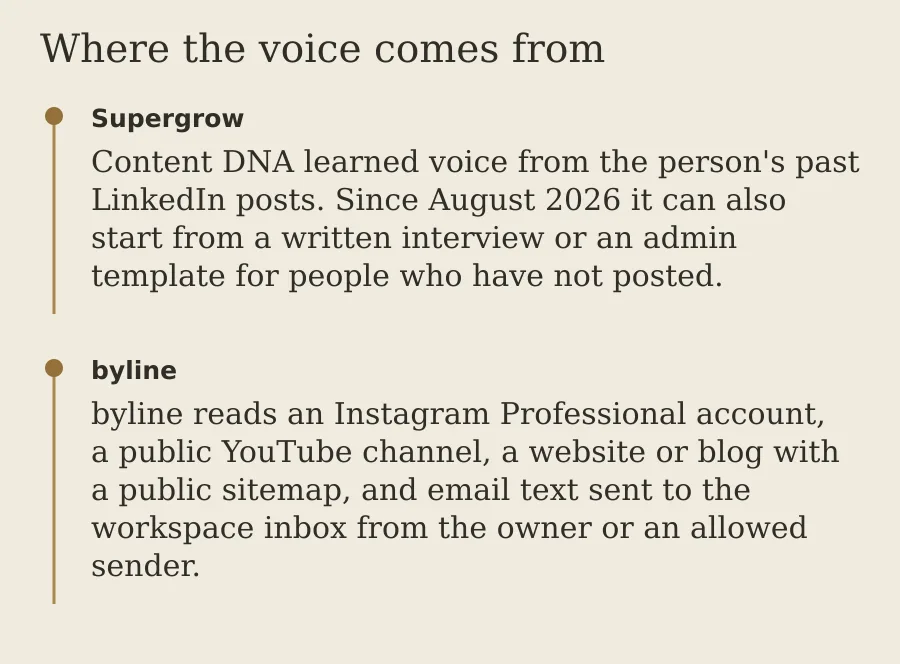
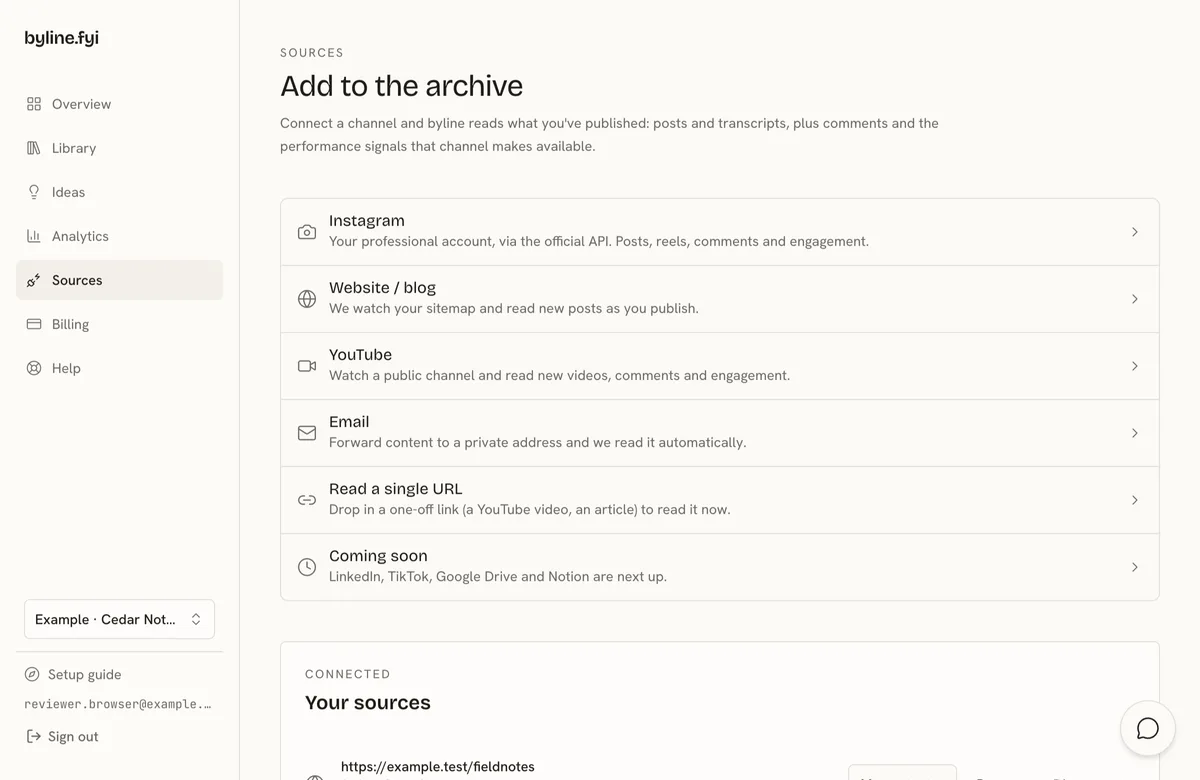
Supergrow's Content DNA learns from the person's past LinkedIn posts. Since August 2026 it can also start from a written interview or an admin template, which helps when the client has not posted [1]. Postcast is an AI interview: Supergrow says a 10-minute session produces 3 to 5 posts, and interviews are unlimited on every plan [2] [3]. Repurposing is per item. You drop in a link or file for a YouTube video, a blog post or a PDF, and Supergrow turns that one source into LinkedIn posts [26].
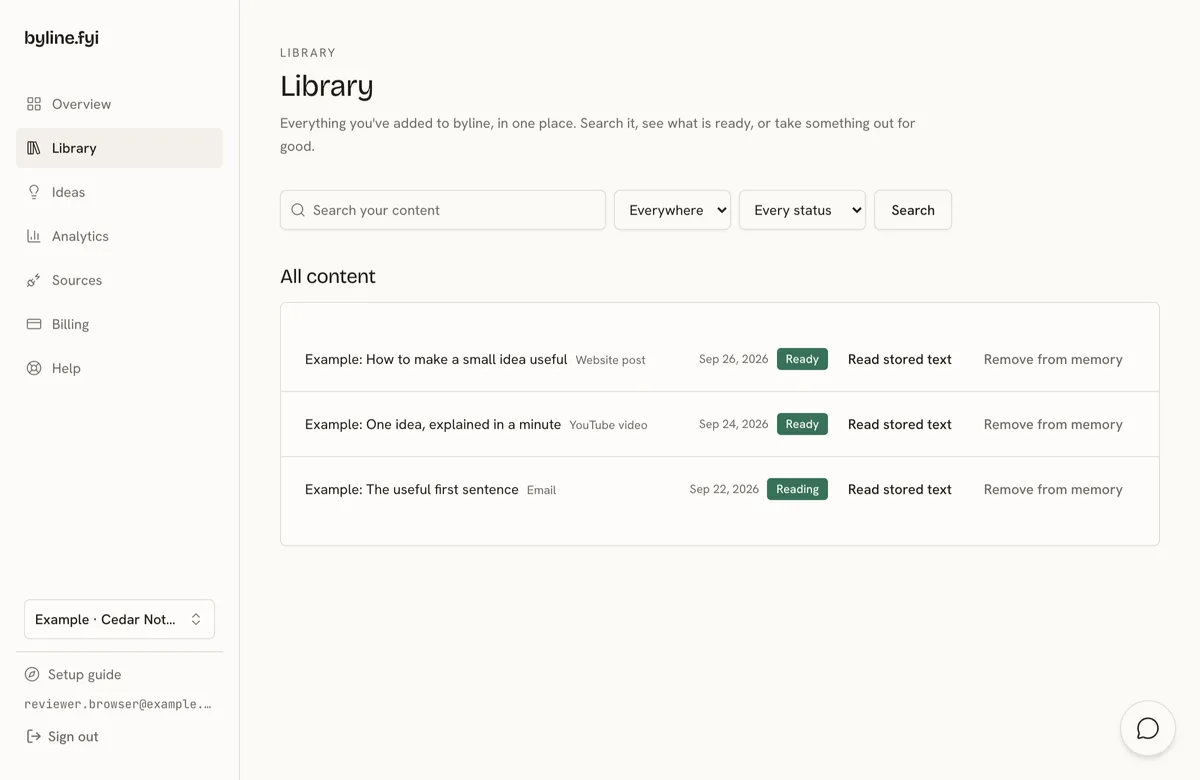
byline reads the client's connected channels and keeps them: an Instagram Professional account, a public YouTube channel, a website or blog with a public sitemap, and newsletter or email text sent to the workspace inbox [5]. For supported YouTube videos it also reads what is said in the video when processing succeeds [15]. See how to connect a client's YouTube channel. Connected sources sync daily [27]. byline doesn't import LinkedIn posts. LinkedIn is on the coming-soon list, and you can email a few posts to that client's inbox as a one-off add [7]. It doesn't import Instagram or YouTube comments, only like, comment and view counts [28].
Supergrow sets up one workspace per client. Its guide for agencies and ghostwriters calls each workspace its own mini-Supergrow account for one client [20]. LinkedIn account seats count across all of those workspaces, not one allowance per workspace [21]. byline Studio gives each client a separate workspace, with its own sources, profile and library, so one client's voice stays out of another's drafts [12]. More on that split: byline for ghostwriters.
What happens inside Claude or ChatGPT
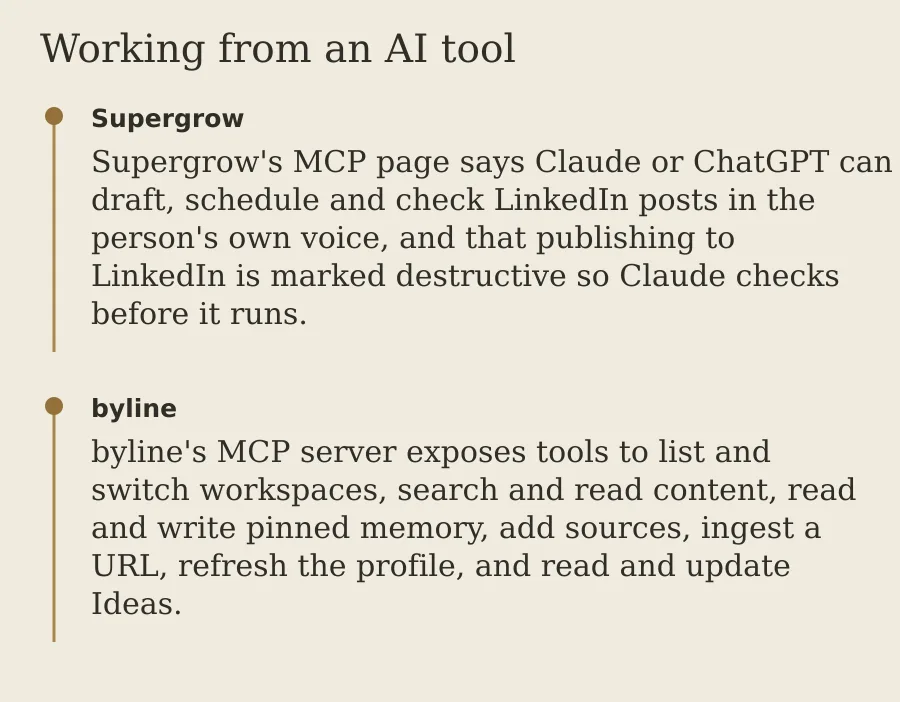
Supergrow MCP is included on every plan [16]. Its MCP page says Claude or ChatGPT can draft, schedule and check LinkedIn posts in the person's own voice, and that publishing to LinkedIn is marked destructive so Claude checks before it runs [29]. Claude opens Supergrow from the connector directory and signs in. ChatGPT adds the server URL and signs in. The page says there is no API key to copy for those two. Other MCP clients, such as OpenClaw and Manus, still connect with a key [30] [17].
byline's MCP server gives Claude, ChatGPT or Cursor the client's voice profile and their published work to draft from. The tools list and switch workspaces, search and read content, and read the voice profile and Ideas [18] [19] [31]. byline doesn't post, schedule or run approvals [8]. Questions from your AI tool don't count against the reading allowance [32]. You need an AI plan that allows a custom remote connector [13]. Claude lists custom connectors on Free, Pro, Max, Ultra, Team and Enterprise, and Free allows one [33]. Read how byline works inside Claude.
What 1, 3 and 5 clients cost
Monthly list prices read on 18 Nov 2026. Supergrow's prices are copied as shown, with $ and no currency named [34]. byline's prices are in US dollars.
| Clients | Supergrow | byline |
|---|---|---|
| 1 | Pro is $39 a month for 1 LinkedIn account [35] [10] | Creator is $29 a month, plus an AI plan if you don't have one, such as Claude Pro at $20 a month [36] [13] [37] |
| 3 | Teams is $199 a month for 5 accounts, or Pro plus 2 extra accounts at a price Supergrow doesn't publish (unverified) [9] [10] (unverified) [38] | Studio is $99 a month, plus an AI plan [11] [13] |
| 5 | Teams is $199 a month for 5 accounts [9] [10] | Studio is $99 a month for up to 5 client workspaces, plus an AI plan [11] [12] [13] |
Supergrow includes its own AI writer [14]. byline doesn't include an AI model, so most readers will already pay for Claude or ChatGPT [13]. Supergrow's 50% annual discount (code BF50, until 5 Dec) is not in this table [39].
The pricing page lists Pro at $39 a month and Teams at $199 a month [35] [9]. It does not list a Starter plan, a price of about $19, or a Teams price of $139 [40]. For 3 clients, Teams at $199 covers 5 accounts, or you stay on Pro and buy 2 extra accounts at a price Supergrow does not publish (unverified) [10] (unverified) [38]. A help article shows ₹13.50 a month per account, and the pricing page lists no add-on price, so that rupee figure stays unverified (unverified) [38].
For 5 clients, Studio covers 5 client workspaces for $99 a month, plus an AI plan such as Claude Pro at $20 a month [11] [12] [13] [37]. That is one Studio plan, not five Creator plans at $29 [36].
Where Supergrow wins
Supergrow is the better pick when your clients post on LinkedIn and you want the whole job in one place. It learns a voice from the client's past LinkedIn posts, and Postcast interviews the client for you, which helps when a client has strong opinions but few posts. It schedules, posts the first comment, makes carousels and reports on each profile. On Teams, clients approve drafts before they go out. byline doesn't post, schedule or run approvals [8]. If your clients are LinkedIn-first and you want approvals, choose Supergrow.
- It reads LinkedIn. Content DNA learns from past LinkedIn posts, and it can also start from a written interview or an admin template [1]. byline doesn't import LinkedIn posts [7].
- It interviews the client. Postcast turns a short AI interview into posts, and interviews are unlimited on every plan [2] [3]. byline has no interview step [5].
- Scheduling, carousels and the first comment. Every plan schedules to LinkedIn, with a calendar, a Kanban board, an automatic first comment, a carousel maker and Engage [3]. byline doesn't post, schedule or run approvals [8].
- Approvals on Teams. Feedback and approval workflows, publishing on behalf of members, an organisation dashboard and team analytics are Teams and Enterprise, not Pro [4].
- A workspace per client. Agencies and ghostwriters create one workspace per client, and seats count across those workspaces [20] [21].
- Draft and schedule from Claude or ChatGPT. Supergrow MCP drafts and schedules LinkedIn posts in the person's voice, and publishing waits for a check [29]. byline's tools stop at the draft's context [8].
- Reports on each profile. Profile analytics and a weekly report are on every plan, and Teams adds team-wide analytics [3] [4]. byline doesn't ship aggregated social reporting [41].
- Try it before you pay. Every plan starts with a 7-day free trial, and the account pauses with no charge if you do not pick a plan when it ends [22]. byline has no free trial [42].
- The AI writer is included. You do not add a separate Claude or ChatGPT plan to produce the draft [14]. byline needs one [13].
Where byline wins
byline is the better pick when a client's real voice lives off LinkedIn: a YouTube channel, an Instagram account, a blog or a newsletter. byline reads the whole channel, including what is said in each video, and keeps it synced every day. Claude or ChatGPT then drafts with that library and the client's voice profile in reach, in the chat you already use. Each client gets a separate workspace, so one client's voice stays out of another's drafts. For 5 clients, Studio costs $99 a month against Supergrow Teams at $199 [11] [12] [9] [10]. You still need your own AI plan and your own scheduler [13] [8].
- A standing library, not one file at a time. byline syncs Instagram, YouTube, a website and newsletter email every day [5] [27]. Supergrow's repurposing starts from one link or file [26].
- What the client says on video. For supported YouTube videos, byline reads the spoken words when processing succeeds [15].
- A published price for 5 clients. Studio is $99 a month for up to 5 client workspaces with 5 seats each [11] [12]. Supergrow Teams is $199 a month for 5 LinkedIn accounts [9] [10].
- Search the archive from the chat you already use. Claude or ChatGPT can search posts, transcripts, articles and emails [31]. Questions don't spend the reading allowance [32].
You may not need byline
If every client is LinkedIn-only and you want scheduling and approvals, Supergrow covers it and byline adds little. byline doesn't import LinkedIn posts and doesn't post, schedule or run approvals [7] [8].
If you write for one person and already paste their posts into a Claude Project, a Project may be enough. See Claude Projects vs ChatGPT Projects.
- Connect published work
- Read the client’s voice profile
- Draft in Claude or ChatGPT
Can you use both?
Both can sit in Claude or ChatGPT: Supergrow drafts and schedules the LinkedIn post, and byline supplies what the client has published off LinkedIn [29] [18]. A suggested setup: connect a client's YouTube channel and newsletter to byline, draft in Claude with that library, then ask Supergrow to schedule the post. byline needs an AI plan that allows a custom remote connector, and Claude's Free plan allows one custom connector [13] [33]. This is a suggested setup we have not tested. We have not run Supergrow.
FAQ
Does Supergrow work for ghostwriters with several clients?
Yes. Supergrow sets up one workspace per client, and LinkedIn account seats count across all workspaces. Pro includes 1 account and Teams includes 5. Checked 18 Nov 2026.
How much does Supergrow cost?
Pro is $39 a month and Teams is $199 a month on monthly billing, and Enterprise is custom. Every plan starts with a 7-day free trial. Checked on supergrow.ai/pricing, 18 Nov 2026.
Sources: [35], [9], [43], [22].
Can byline learn a client's voice from LinkedIn?
Not yet. byline doesn't import LinkedIn posts. It reads Instagram, YouTube, a website or blog, and newsletter text sent to the workspace inbox. You can email a few LinkedIn posts to the inbox as a one-off add.
Do both work inside Claude?
Yes. Supergrow MCP drafts and schedules LinkedIn posts from Claude or ChatGPT. byline's MCP server gives Claude, ChatGPT or Cursor the client's voice profile and their published work to draft from.
What do 5 clients cost on each?
Supergrow Teams is $199 a month for 5 accounts. byline Studio is $99 a month for 5 client workspaces, and you also need an AI plan that supports custom connectors, such as Claude Pro at $20 a month.
Sources: [9], [10], [11], [12], [13], [37].
Is there a free trial of byline?
No. $0.99 for your first month, no free trial. The $0 Connection plan lets you connect one Instagram account and one YouTube channel you own before you pay.
Method and disclosure
How we checked
We make byline. We have not run Supergrow. Supergrow's pricing page, homepage, MCP page and agency getting-started guide were read on 18 Nov 2026. The help article on creating another workspace and the help article on adding another LinkedIn account were read the same day. Content DNA's August 2026 write-up was last read on 5 Nov 2026, and that source below keeps its date. Claude's Pro price and custom-connector rules were re-read on 18 Nov 2026; those facts keep their earlier dates because other guides cite them. byline's prices and the Connection plan were re-read the same day on the pricing page and the plans doc. The extra LinkedIn account price is unverified, and the rupee figure in one help article is not treated as the list price. The annual discount code on the site banner is a promotion and is not in the cost table. Each fact below links to the page we read and the day we read it. Last checked 18 Nov 2026.
- Supergrow. Content DNA learned voice from the person's past LinkedIn posts. Since August 2026 it can also start from a written interview or an admin template for people who have not posted. Source: www.supergrow.ai/blog/whats-new-in-supergrow-august-2026, checked 5 Nov 2026.
- Supergrow. Postcast is an AI interview: Supergrow says a 10-minute session produces 3 to 5 posts. Source: supergrow.ai/pricing, checked 18 Nov 2026.
- Supergrow. Every plan includes Content DNA, unlimited Postcast AI interviews, repurposing from YouTube, articles and PDFs, scheduling with a calendar, a Kanban board, an automatic first comment, a carousel maker, Engage, Supergrow MCP, profile analytics and a weekly report. Source: www.supergrow.ai/pricing, checked 18 Nov 2026.
- Supergrow. Content DNA per team member, feedback and approval workflows, the organisation dashboard, a content calendar across members, publishing on behalf of members, team-wide analytics and Slack notifications are Teams and Enterprise features, not Pro. Source: supergrow.ai/pricing, checked 18 Nov 2026.
- byline. From byline's own product documentation, checked 5 Nov 2026.
- byline. From byline's own product documentation, checked 5 Nov 2026.
- byline. From byline's own product documentation, checked 5 Nov 2026.
- byline. From byline's own product documentation, checked 5 Nov 2026.
- Supergrow. Teams is $199 a month billed monthly, or $189 a month billed annually. Source: www.supergrow.ai/pricing, checked 18 Nov 2026.
- Supergrow. Pro includes 1 LinkedIn account and Teams includes 5. Enterprise is custom. Source: www.supergrow.ai/pricing, checked 18 Nov 2026.
- byline. From byline's own product documentation, byline.fyi/pricing, checked 5 Nov 2026.
- byline. From byline's own product documentation, byline.fyi/pricing, checked 5 Nov 2026.
- byline. From byline's own product documentation, byline.fyi/docs/connect-byline-to-your-ai-tool, checked 5 Nov 2026.
- Supergrow. Supergrow is a LinkedIn content platform with a per-person voice profile (Content DNA), AI interviews (Postcast), repurposing, scheduling, engagement tools and analytics. Source: supergrow.ai/pricing, checked 18 Nov 2026.
- byline. From byline's own product documentation, checked 5 Nov 2026.
- Supergrow. Supergrow MCP is included on every plan from Pro to Enterprise at no extra cost. Source: supergrow.ai/features/mcp, checked 18 Nov 2026.
- Supergrow. Supergrow's MCP page names Claude and ChatGPT, which sign in, plus OpenClaw and Manus, which use an API key. Source: supergrow.ai/features/mcp, checked 18 Nov 2026.
- byline. From byline's own product documentation, checked 5 Nov 2026.
- byline. From byline's own product documentation, byline.fyi/docs/connect-byline-to-your-ai-tool, checked 5 Nov 2026.
- Supergrow. Supergrow has an agency and ghostwriter setup in which each client gets a separate workspace. Source: help.supergrow.ai/agency-ghostwriters/get-started-guide-for-agencies-and-ghostwriters, checked 18 Nov 2026.
- Supergrow. LinkedIn account seats are counted across all workspaces combined. Connecting more accounts needs an extra seat bought on the Billing page. Source: help.supergrow.ai/faqs/why-can-t-i-add-another-linkedin-account, checked 18 Nov 2026.
- Supergrow. Every plan includes a 7-day free trial. If no plan is picked when it ends, the account pauses without a charge. Source: www.supergrow.ai/pricing, checked 18 Nov 2026.
- byline. From byline's own product documentation, byline.fyi/pricing, checked 6 Nov 2026.
- Supergrow. The pricing page lists no free plan. The plans are Pro, Teams and Enterprise. Source: www.supergrow.ai/pricing, checked 18 Nov 2026.
- byline. From byline's own product documentation, byline.fyi/docs/plans-pricing-and-billing, checked 6 Nov 2026.
- Supergrow. Supergrow turns a YouTube video, blog post, PDF or other long-form source, added as a link or file, into LinkedIn posts. Source: supergrow.ai, checked 18 Nov 2026.
- byline. From byline's own product documentation, byline.fyi/docs/plans-pricing-and-billing, checked 5 Nov 2026.
- byline. From byline's own product documentation, checked 5 Nov 2026.
- Supergrow. Supergrow's MCP page says Claude or ChatGPT can draft, schedule and check LinkedIn posts in the person's own voice, and that publishing to LinkedIn is marked destructive so Claude checks before it runs. Source: supergrow.ai/features/mcp, checked 18 Nov 2026.
- Supergrow. Claude opens Supergrow in the connector directory and signs in. ChatGPT adds the server URL and signs in. The page says there is no code and no API key to copy. OpenClaw and Manus still use a key, and existing key connections keep working. Source: supergrow.ai/features/mcp, checked 18 Nov 2026.
- byline. From byline's own product documentation, checked 5 Nov 2026.
- byline. From byline's own product documentation, byline.fyi/docs/plans-pricing-and-billing, checked 5 Nov 2026.
- Claude (Projects, Skills, memory and custom connectors). Custom connectors using remote MCP are available in Claude, Cowork and Claude Desktop on Free, Pro, Max, Ultra, Team and Enterprise. Free users are limited to one custom connector. Source: support.claude.com/en/articles/11175166-get-started-with-custom-connectors-using-remote-mcp, checked 5 Nov 2026.
- Supergrow. The pricing page shows prices with a dollar sign and does not name the currency. Source: supergrow.ai/pricing, checked 18 Nov 2026.
- Supergrow. Pro is $39 a month billed monthly, or $31 a month billed annually. Source: www.supergrow.ai/pricing, checked 18 Nov 2026.
- byline. From byline's own product documentation, byline.fyi/pricing, checked 5 Nov 2026.
- Claude (Projects, Skills, memory and custom connectors). Claude Pro is $20 a month billed monthly, or $17 a month with annual billing ($200 billed up front). Prices exclude tax. Source: claude.com/pricing, checked 5 Nov 2026.
- Supergrow. The price of an extra LinkedIn account is not clear from Supergrow's own pages. Unverified: we could not confirm this on 18 Nov 2026. We checked help.supergrow.ai/agency-ghostwriters/how-do-i-create-a-new-workspace.
- Supergrow. Supergrow's site banner offers 50% off annual plans with code BF50 until 5 Dec. It is a promotion, not the list price. Source: supergrow.ai/pricing, checked 18 Nov 2026.
- Supergrow. The pricing page lists Pro, Teams and Enterprise. It does not list a Starter plan, a price of about $19, or a Teams price of $139. Source: supergrow.ai/pricing, checked 18 Nov 2026.
- byline. From byline's own product documentation, checked 5 Nov 2026.
- byline. From byline's own product documentation, byline.fyi/docs/plans-pricing-and-billing, checked 6 Nov 2026.
- Supergrow. Enterprise has custom pricing for organisations with more than 5 executives, and adds custom integrations and API access, an SLA, custom reporting and invoice billing. Source: supergrow.ai/pricing, checked 18 Nov 2026.